
In corporate and enterprise email administration across Pakistan, accidental email deletions are a frequent and urgent operational emergency. A senior executive or department head synchronizing their mailbox with Microsoft Outlook, Apple Mail, or Thunderbird inadvertently hits “Empty Deleted Items” or triggers a misconfigured IMAP filter, permanently purging thousands of critical audit emails, purchase orders, or legal contracts.
In traditional cPanel mail hosting architectures, the standard IMAP EXPUNGE command deletes the underlying maildir message files (cur/ and new/) from the storage volume immediately. When this happens, recovering those messages requires mounting full system backups or uncompressing multi-gigabyte cPanel account archives (cpmove-*.tar.gz). On servers hosting 50GB to 500GB mail spool directories, restoring a single account from cold backups takes several hours, during which new incoming messages can be overwritten or delayed.
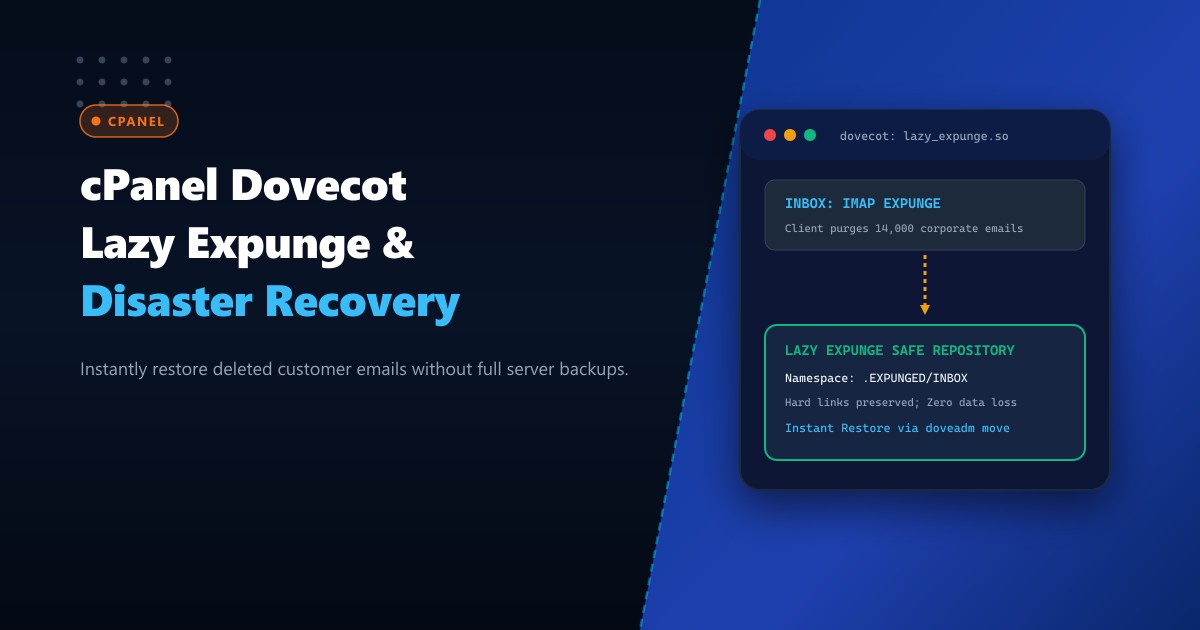
The Dovecot Lazy Expunge plugin (lazy_expunge) eliminates this operational nightmare. Instead of deleting unlinked email files upon receiving an IMAP EXPUNGE or mailbox deletion request, Dovecot transparently moves the expunged messages into a hidden, shadow namespace on the filesystem.
By deploying on enterprise bare-metal Dedicated Servers and enabling Dovecot Lazy Expunge, system administrators can restore purged corporate emails in seconds via doveadm commands without touching server backups.
How Dovecot Lazy Expunge Protects Corporate Inboxes
Here is the operational workflow comparison between default IMAP deletion and Dovecot Lazy Expunge:
+-----------------------------------------------------------------------------------+
|               DEFAULT IMAP EXPUNGE vs. DOVECOT LAZY EXPUNGE                       |
+-----------------------------------------------------------------------------------+
| 1. Default IMAP EXPUNGE Behavior:                                                 |
|    - User's Outlook client issues: `EXPUNGE` on `INBOX`                           |
|    - Dovecot invokes Linux `unlink()` on mail files in `/home/user/mail/.../cur/`  |
|    - Inodes are immediately freed; email contents are unrecoverable from disk!    |
|    - Administrator must extract full nightly backup (2-4 hours downtime/wait).   |
|                                                                                   |
| 2. Dovecot Lazy Expunge Architecture:                                             |
|    - User's Outlook client issues: `EXPUNGE` on `INBOX`                           |
|    - Dovecot intercepts `unlink()` call via `lazy_expunge.so` plugin.             |
|    - File is hard-linked or moved into shadow namespace: `.EXPUNGED/INBOX/`       |
|    - Email disappears from user's Outlook view (quota updated, zero clutter).     |
|    - Zero backup restore required! Administrator executes `doveadm move` in 3 sec |
|    - A nightly cleanup cron permanently purges messages older than 30 days.       |
|    - Result: Instant disaster recovery with zero risk of human error!             |
+-----------------------------------------------------------------------------------+
Step 1: Configuring Dovecot Shadow Namespaces in cPanel
cPanel manages Dovecot configuration through templates located in /var/cpanel/templates/dovecot2.3/ and /etc/dovecot/dovecot.conf. To make customizations permanent across cPanel automated updates, apply overrides via /etc/dovecot/dovecot.conf.local or the WHM Dovecot template editor.
Create or update /etc/dovecot/dovecot.conf.local:
# 1. Enable the lazy_expunge plugin globally for IMAP and POP3
mail_plugins = $mail_plugins lazy_expunge

protocol imap {
  mail_plugins = $mail_plugins imap_lazy_expunge
}

# 2. Define the hidden Lazy Expunge Shadow Namespaces
namespace {
  prefix = .EXPUNGED/
  separator = /
  location = maildir:~/mail/.EXPUNGED:INDEX=~/mail/.EXPUNGED/indexes
  hidden = yes
  list = no
  subscriptions = no
}

# 3. Configure plugin mapping: redirect expunged and deleted mailboxes
plugin {
  lazy_expunge = .EXPUNGED/
  lazy_expunge_only_unsubscribed = no
}
Verify that the configuration syntax is accepted by Dovecot:
doveconf -n | grep -E "lazy_expunge|namespace"Rebuild cPanel Dovecot configurations and restart the daemon:
/scripts/builddovecotconf
/scripts/restartsrv_dovecot
Step 2: Testing Accidental Deletion and Shadow Vault Storage
Log in to a test email account via Webmail (Roundcube) or an IMAP client. Delete an email from the INBOX and permanently purge the Trash folder.
Inspect the filesystem structure under the user’s home directory:
# Check the user's active maildir
ls -la /home/clientuser/mail/domain.com.pk/ceo/cur/

# Check the hidden Lazy Expunge shadow repository
ls -la /home/clientuser/mail/domain.com.pk/ceo/.EXPUNGED/cur/
You will observe the expunged email files residing safely inside the .EXPUNGED/ directory, intact with all original MIME headers and attachments!
Step 3: Instant 3-Second Email Recovery via doveadm
When a client reports an accidental mailbox purge, administrators can restore all expunged messages directly into a temporary folder or back to the original INBOX using the doveadm command-line utility:
# List expunged messages in the shadow namespace
doveadm search -u [email protected] mailbox .EXPUNGED/INBOX ALL

# Move all accidentally deleted messages back to a recovery folder in the user's mailbox
doveadm mailbox create -u [email protected] "Recovered_Emails"
doveadm move -u [email protected] "Recovered_Emails" mailbox .EXPUNGED/INBOX ALL
Instantly, the user’s mail client synchronizes the new Recovered_Emails folder containing all purged messages—completed in under 5 seconds without server reboot, database locks, or backup extraction!
Step 4: Automating 30-Day Retention Pruning with Cron
To prevent shadow repositories from consuming disk space indefinitely, configure an automated maintenance cron to purge messages that have remained in the .EXPUNGED namespace for more than 30 days:
Create /etc/cron.daily/dovecot-lazy-expunge-prune:
#!/bin/bash
# Purge messages in .EXPUNGED namespaces older than 30 days across all accounts
/usr/bin/doveadm expunge -A mailbox .EXPUNGED/* savedbefore 30d
Make the script executable:
chmod +x /etc/cron.daily/dovecot-lazy-expunge-pruneThis guarantees a rolling 30-day safety net for all enterprise mailboxes while keeping overall NVMe disk utilization lean and predictable.
Enterprise Mail Infrastructure on Dedicated Pakistani Hardware
Operating enterprise mail clusters with shadow namespaces and real-time Dovecot indexing requires fast, unthrottled I/O. When thousands of mail clients execute concurrent IMAP synchronization cycles, shared cloud disks suffer I/O bottlenecks that degrade Dovecot search response times and cause mailbox locking timeouts.
Deploying on bare-metal Dedicated Servers in Pakistan equips your cPanel environment with high-end PCIe Gen4/Gen5 NVMe storage arrays capable of millions of IOPS, unmetered memory channels for Dovecot indexing caches, and low-latency domestic network peering at PKIX.
Protect Corporate Mail with NextGen Dedicated Servers
Deliver ultra-fast IMAP sync, bulletproof email disaster recovery, and 100% uptime for enterprise organizations across Pakistan. NextGen dedicated servers provide dedicated enterprise hardware, unshared NVMe RAID, and 24/7 technical administration.
Deploy Dedicated Servers in Pakistan