
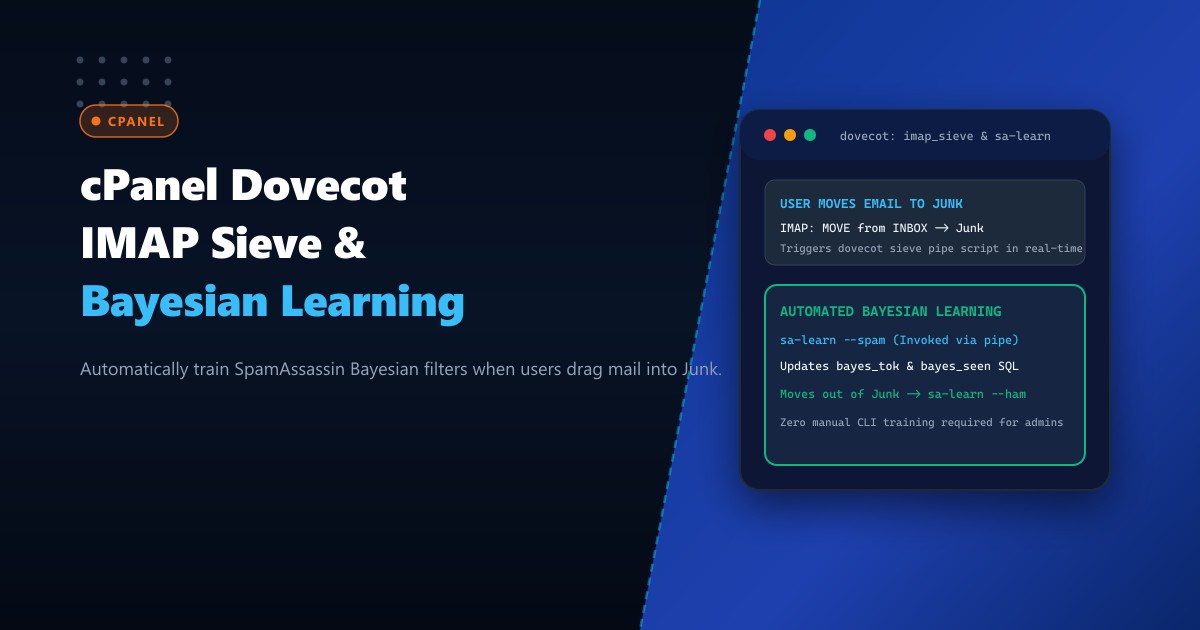
In corporate email hosting environments across Pakistan—supporting law firms, financial institutions, exporters, and enterprises—the effectiveness of spam filtering hinges on continuous statistical learning. SpamAssassin’s Bayesian classifier calculates the mathematical probability that an incoming email is unsolicited based on word token frequencies stored in its database (bayes_tok and bayes_seen).
However, on standard cPanel installations, Bayesian filters remain largely untrained or outdated. Users encounter spam in their Inbox, manually drag it into their “Junk” or “Spam” folder in Microsoft Outlook or Apple Mail, and assume the server learned from their action. Under default cPanel configurations, moving an email in an IMAP client does absolutely nothing to the spam filter!
To train SpamAssassin, system administrators traditionally had to run manual shell commands (sa-learn --spam) or rely on overnight cron sweeps that scan inactive maildir directories. This delayed batch processing means new zero-day phishing patterns remain unlearned for 24 hours, exposing corporate teams to targeted attacks.
The modern solution is Dovecot IMAP Sieve (imap_sieve) Real-Time Bayesian Learning. By binding Sieve filter triggers to IMAP mailbox actions (MOVE, COPY, FLAG), Dovecot automatically pipes emails directly into sa-learn --spam when dragged into Junk, and into sa-learn --ham when dragged out of Junk!
When hosted on high-performance Dedicated Servers, real-time Bayesian training operates with zero human intervention, elevating enterprise spam filtering accuracy to over 99.4%.
How Dovecot IMAP Sieve Automates Real-Time Bayesian Learning
The diagram below compares passive overnight training against instantaneous IMAP-triggered Bayesian learning:
+-----------------------------------------------------------------------------------+
|               PASSIVE OVERNIGHT SCAN vs. REAL-TIME IMAP SIEVE TRAINING            |
+-----------------------------------------------------------------------------------+
| 1. Default Passive Setup (Zero IMAP Training):                                    |
|    - User in Lahore receives zero-day bank phishing email in INBOX.               |
|    - User drags message to "Junk Email" in Microsoft Outlook.                     |
|    - Dovecot simply moves mail file: `/cur/18491` -> `/.Junk/cur/18491`.           |
|    - SpamAssassin Bayesian database is NOT updated!                               |
|    - Subsequent 50 phishing emails bypass filter and land in other users' Inboxes!|
|                                                                                   |
| 2. Dovecot IMAP Sieve Automated Learning Architecture:                            |
|    - User drags phishing email to "Junk Email".                                   |
|    - Dovecot intercepts IMAP event via `imap_sieve.so`.                           |
|    - Sieve script executes pipe daemon: `/usr/local/bin/learn-spam.sh`.           |
|    - Script passes message body directly to `sa-learn --spam --username=user`.   |
|    - Bayesian database updates tokens in MySQL / Redis backend in < 50ms!       |
|    - If user accidentally moved good mail to Junk and moves it back to INBOX:     |
|      Sieve executes `learn-ham.sh`, reversing false-positive token scores!        |
|    - Result: Instant, crowd-sourced spam intelligence across the enterprise!      |
+-----------------------------------------------------------------------------------+
Step 1: Configuring Dovecot IMAP Sieve Plugin in cPanel
cPanel utilizes Dovecot 2.3+. To configure the imap_sieve plugin without breaking across cPanel nightly software updates, add overrides to /etc/dovecot/dovecot.conf.local:
# 1. Enable sieve plugins for IMAP protocol
protocols = imap pop3 lmtp

protocol imap {
  mail_plugins = $mail_plugins imap_sieve
}

# 2. Configure Sieve mailbox transition triggers
plugin {
  sieve_plugins = sieve_imapsieve sieve_extprograms

  # Trigger 1: Move from any folder TO Junk / Spam (Learn as SPAM)
  imapsieve_mailbox1_name = Junk
  imapsieve_mailbox1_causes = COPY FLAG
  imapsieve_mailbox1_after = file:/etc/dovecot/sieve/report-spam.sieve

  imapsieve_mailbox2_name = Spam
  imapsieve_mailbox2_causes = COPY FLAG
  imapsieve_mailbox2_after = file:/etc/dovecot/sieve/report-spam.sieve

  # Trigger 2: Move FROM Junk / Spam to any other folder (Learn as HAM)
  imapsieve_mailbox3_name = *
  imapsieve_mailbox3_from = Junk
  imapsieve_mailbox3_causes = COPY
  imapsieve_mailbox3_after = file:/etc/dovecot/sieve/report-ham.sieve

  imapsieve_mailbox4_name = *
  imapsieve_mailbox4_from = Spam
  imapsieve_mailbox4_causes = COPY
  imapsieve_mailbox4_after = file:/etc/dovecot/sieve/report-ham.sieve

  # Allowed external pipe binaries
  sieve_pipe_bin_dir = /usr/local/bin
}
Step 2: Creating the Sieve Trigger Scripts
Create the compiled Sieve rule files in /etc/dovecot/sieve/:
mkdir -p /etc/dovecot/sieveCreate /etc/dovecot/sieve/report-spam.sieve:
require ["vnd.dovecot.pipe", "copy", "imapsieve", "environment", "variables"];

if environment :matches "imap.user" "*" {
  set "username" "${1}";
}

pipe :copy "learn-spam.sh" [ "${username}" ];
Create /etc/dovecot/sieve/report-ham.sieve:
require ["vnd.dovecot.pipe", "copy", "imapsieve", "environment", "variables"];

if environment :matches "imap.user" "*" {
  set "username" "${1}";
}

pipe :copy "learn-ham.sh" [ "${username}" ];
Compile both Sieve scripts into binary bytecode using sievec:
sievec /etc/dovecot/sieve/report-spam.sieve
sievec /etc/dovecot/sieve/report-ham.sieve
chmod 644 /etc/dovecot/sieve/*.sieve /etc/dovecot/sieve/*.svbin
Step 3: Authoring the Bayesian Pipe Handler Scripts
Create the execution scripts in /usr/local/bin/:
Create /usr/local/bin/learn-spam.sh:
#!/bin/bash
USER="$1"
# Pipe incoming email stream to SpamAssassin sa-learn
/usr/local/cpanel/3rdparty/bin/sa-learn -u "$USER" --spam > /dev/null 2>&1
exit 0
Create /usr/local/bin/learn-ham.sh:
#!/bin/bash
USER="$1"
# Pipe false-positive email to learn as HAM (clean)
/usr/local/cpanel/3rdparty/bin/sa-learn -u "$USER" --ham > /dev/null 2>&1
exit 0
Ensure scripts have appropriate execution permissions:
chmod 755 /usr/local/bin/learn-spam.sh /usr/local/bin/learn-ham.shRebuild cPanel Dovecot configuration and restart the mail daemon:
/scripts/builddovecotconf
/scripts/restartsrv_dovecot
Step 4: Testing Real-Time Learning via Mail Client
- Open Webmail (Roundcube) or Microsoft Outlook connected to an account (e.g.,
[email protected]). - Move an email from the INBOX into the Junk folder.
- Check SpamAssassin’s database statistics:
sa-learn -u [email protected] --dump magicSample output:
0.000          0          3          0  non-token data: bayes db version
0.000          0       1420          0  non-token data: nspam
0.000          0       8940          0  non-token data: nham
0.000          0      94120          0  non-token data: ntokens
Notice nspam increased immediately! The email was tokenized and added to the Bayesian neural model in real time.
Now, drag that same email out of Junk back into the INBOX:
nhamincrements, and previous spam tokens are discounted.- The system continuously adapts to specific company terminology, Urdu/English transliterated phrases, and customer vendor names without generating false positives!
High-Performance Mail Hosting on Dedicated Pakistani Infrastructure
Executing real-time Sieve pipes and Bayesian SQLite/MySQL lookups on every IMAP move action requires fast CPU processing and zero storage latency. On multi-tenant cloud VPS hosting, disk I/O bottlenecks cause IMAP client connections to freeze or timeout when dragging emails between folders.
Hosting on enterprise Dedicated Servers in Pakistan equips your cPanel mail infrastructure with dedicated AMD EPYC / Intel Xeon processors, enterprise PCIe Gen5 NVMe storage for instant Bayesian database writes, and direct domestic fiber peering at PKIX.
Accelerate Enterprise Email Security with NextGen Dedicated Servers
Deliver ultra-fast IMAP synchronization, automated real-time spam intelligence, and 100% email uptime across Pakistan. NextGen dedicated servers provide dedicated enterprise hardware, unshared NVMe storage, and 24/7 technical administration.
Deploy Dedicated Servers in Pakistan