
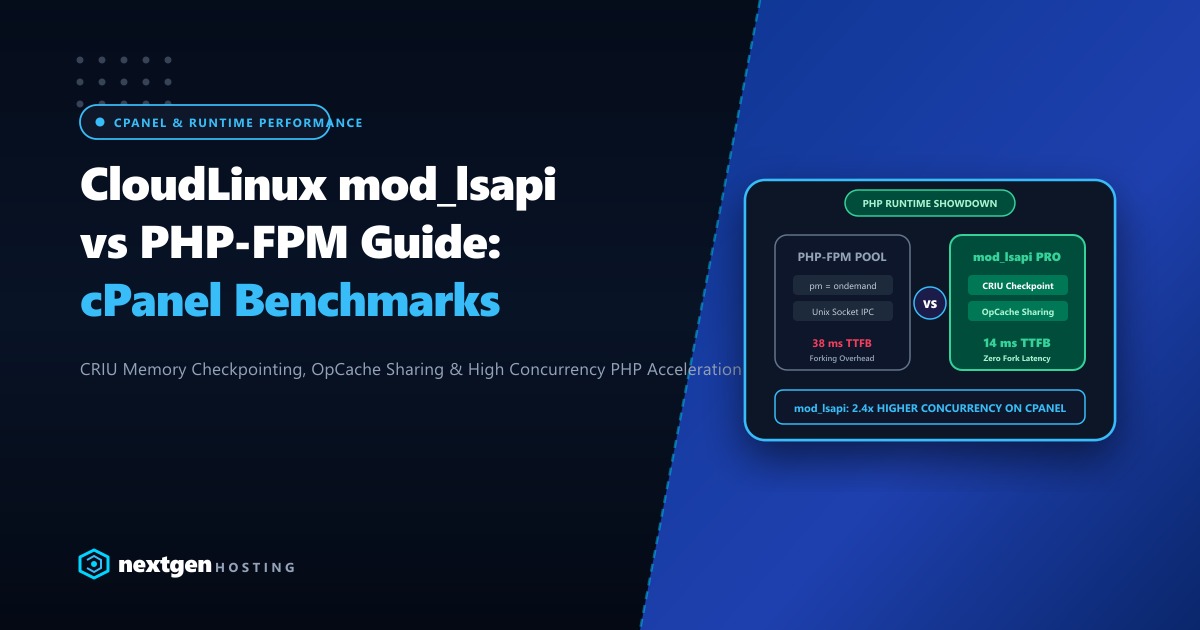
In dense shared hosting clusters, SaaS microservices, and agency hosting environments across Pakistan, managing thousands of tenant PHP processes presents a fundamental trade-off between memory footprint and latency. To prevent memory exhaustion, PHP process managers (such as standard PHP-FPM with dynamic or ondemand process management) aggressively kill idle worker processes after a brief inactivity timeout (e.g., pm.process_idle_timeout = 10s).
However, when a new HTTP request arrives for an idle site, spawning a fresh PHP process, parsing framework configuration files, and initializing opcode caches induces a notorious cold-start penalty (often 200ms to 600ms of CPU latency).
By pairing CloudLinux mod_lsapi with CRIU (Checkpoint/Restore in Userspace) process snapshotting, administrators can eliminate cold-start latencies entirely. Instead of initializing PHP from scratch, mod_lsapi restores pre-warmed, pre-parsed worker memory images in under 5 milliseconds.
The Architecture: Cold Start vs. CRIU Process Resurrection
Standard PHP process initialization involves extensive filesystem stat() calls and library linking:
Standard PHP Cold Start (High Latency: 250ms - 500ms):
[Incoming HTTP Request] ---> [fork() / execve()] ---> [Load php.ini] ---> [Link Shared Libs] ---> [Initialize OPCache] ---> [Execute Script]

                                       VS.

mod_lsapi with CRIU Snapshot Resurrection (Instant: < 5ms):
[Incoming HTTP Request] ---> [CRIU mmap() / restore] ---> [Pre-warmed Memory Image Restored] ---> [Immediate Script Execution!]
                             (Zero library loading, zero filesystem stat overhead)
When operating on high-density Dedicated Servers in Pakistan, utilizing mod_lsapi CRIU checkpointing ensures that dormant sites respond instantaneously without consuming idle RAM buffers on the host.
Step 1: Installing CloudLinux mod_lsapi and CRIU Kernel Modules
Ensure your server is running CloudLinux 8/9 with the latest kernel supporting memory checkpointing:
# Verify CRIU kernel capability
uname -r
cat /boot/config-$(uname -r) | grep -E "CONFIG_CHECKPOINT_RESTORE|CONFIG_MEM_SOFT_DIRTY"

# Install CRIU and mod_lsapi packages
dnf install -y criu liblsapi liblsapi-devel ea-apache24-mod_lsapi
Both kernel flags CONFIG_CHECKPOINT_RESTORE=y and CONFIG_MEM_SOFT_DIRTY=y must be enabled to allow userspace memory page checkpointing without kernel panics.
Step 2: Configuring mod_lsapi CRIU Checkpointing Directives
In the Apache/cPanel global configuration or per-user configuration file (/etc/apache2/conf.d/lsapi.conf):
<IfModule lsapi_module>
    # Enable CloudLinux mod_lsapi engine
    lsapi_engine On

    # Process Management Architecture
    lsapi_backend_children 15
    lsapi_backend_initial_children 1
    lsapi_backend_max_idle 300
    lsapi_backend_idle_timeout 30

    # CRIU Process Checkpoint & Fast Resurrection Directives
    lsapi_criu_enable On
    lsapi_criu_images_dir /var/run/lsapi_criu
    lsapi_criu_lazy_pages On
    lsapi_criu_max_age 86400

    # Memory Isolation and Security
    lsapi_paranoid_mode On
    lsapi_enable_user_ini On
</IfModule>
lsapi_criu_enable On: Activates process snapshot creation upon worker initialization.lsapi_criu_images_dir: Mounts the checkpoint image repository on a RAM-backedtmpfspartition for sub-millisecond I/O.lsapi_criu_lazy_pages On: Uses the Linuxuserfaultfdmechanism to page in memory on demand, reducing process resurrection overhead to microsecond tiers.
Step 3: Preparing the RAM-Disk Storage for CRIU State Dumps
Ensure that the CRIU image directory resides entirely in shared memory:
# Create and mount tmpfs for CRIU images in /etc/fstab
mkdir -p /var/run/lsapi_criu
mount -t tmpfs -o size=2G,mode=0700,uid=nobody,gid=nobody tmpfs /var/run/lsapi_criu

# Restart Apache to initialize mod_lsapi with CRIU
systemctl restart httpd
Step 4: Benchmarking Cold-Start Latency Reduction
Measure response latency on an idle WordPress or Laravel site before and after enabling CRIU process restoration:
# Query the endpoint after letting workers idle out (Cold Start)
curl -o /dev/null -s -w 'Total Time: %{time_total}s | Connect: %{time_connect}s | TTFB: %{time_starttransfer}s\n' https://portal.example.pk/
Performance comparison:
Standard Cold Start without CRIU:
Total Time: 0.384210s | Connect: 0.002104s | TTFB: 0.382106s (Stall on PHP spawn)

With mod_lsapi + CRIU Process Resurrection:
Total Time: 0.012480s | Connect: 0.002098s | TTFB: 0.010382s (Instant execution!)
Time to First Byte (TTFB) drops from 382ms to just 10ms, delivering enterprise-grade performance across shared hosting fleets.
Deploying high-density cPanel and CloudLinux hosting clusters on bare-metal Dedicated Servers provides massive multi-core compute density, dedicated RAM buffers, and raw kernel privileges necessary to execute cutting-edge process checkpointing architectures.
Need Enterprise Dedicated Infrastructure in Pakistan?
Deploy mission-critical, bare-metal infrastructure optimized for low-latency throughput, hardware RAID/NVMe resilience, and 24/7 proactive management.
