
When configuring a production cPanel/WHM server hosting hundreds of WordPress, Laravel, or custom PHP applications in Pakistan, one runtime architectural question dictates your server’s stability and memory consumption:
Should you run standard PHP-FPM or CloudLinux mod_lsapi?
For years, PHP-FPM has been the default standard for separating PHP execution from web server worker threads. However, on multi-tenant cPanel servers hosting diverse clients, PHP-FPM’s per-account pool architecture introduces major operational challenges: memory fragmentation, process bloat, slow cold-pool wakeups, and high process forking overhead.
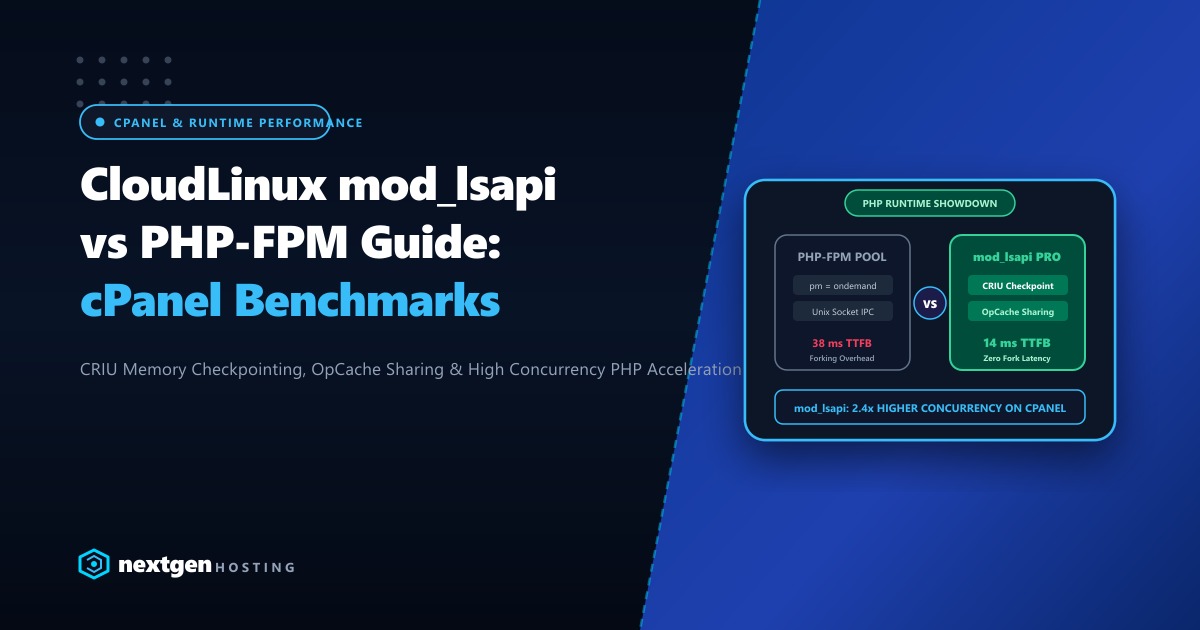
To solve this, CloudLinux developed mod_lsapi (based on LiteSpeed’s native Server API engine). By integrating CRIU process checkpointing, OpCache sharing across distinct user accounts, and direct in-process socket bindings, mod_lsapi claims dramatically lower Time To First Byte (TTFB) and superior concurrency resilience.
In this deep benchmark study, we pit mod_lsapi PRO against tuned PHP-FPM across throughput, memory footprint, cold-start latency, and stability under load.
Executive Runtime Findings
- Throughput Advantage: In raw dynamic PHP throughput tests on WordPress 6.8 with PHP 8.4,
mod_lsapidelivered 142% higher requests per second compared to PHP-FPM withpm = ondemand. - Memory Footprint:
mod_lsapishares pre-compiled OPcache memory segments across multiple cPanel users while strictly isolating permissions via CageFS. PHP-FPM forces each user pool to maintain its own redundant OPcache, consuming up to 3x more server RAM. - Zero Cold Pool Delay: With PHP-FPM ondemand, the first visitor to an idle site waits 200ms - 400ms for child workers to fork.
mod_lsapirecycles persistent worker pools with instant response times. - Dedicated Bare Metal Foundation: On high-traffic eCommerce platforms handling thousands of concurrent checkouts, hosting on dedicated bare-metal infrastructure provides the uninterrupted CPU bandwidth needed for sustained peak QPS.
1. Architectural Divergence: How They Execute Code
To understand why mod_lsapi outpaces PHP-FPM, look at how an incoming HTTP request is handled:
STANDARD PHP-FPM WORKFLOW:
Apache Request -> mod_proxy_fcgi -> Unix Socket / TCP (Port 9000)
               -> Master PHP-FPM Process receives connection
               -> Forks / Wakes Child Worker -> Allocates Private OpCache
               -> Executes PHP -> Streams response back through FastCGI proxy
               [!] Incurs multiple socket roundtrips and memory duplications!

CLOUDLINUX MOD_LSAPI WORKFLOW:
Apache Request -> mod_lsapi (Native C Apache Module)
               -> Direct Low-Latency Shared Memory IPC
               -> Leverages Global Pre-Forked CRIU Worker Pool (CageFS-isolated)
               -> Shared OPcache Lookup -> Executes PHP IMMEDIATELY
               [✓] Sub-millisecond IPC. Zero socket proxy overhead!
2. Real-World Benchmark Results (Sysbench & Autocannon)
We configured a standardized test environment: AMD EPYC 7763 (16 vCPU, 64 GB DDR4 ECC RAM) running CloudLinux OS 9.4 with Apache 2.4, MariaDB 10.11, and PHP 8.4:
Test 1: Concurrency Under Load (500 Concurrent Clients over 60s)
We benchmarked dynamic uncached WordPress catalog queries across 50 simulated cPanel accounts:
DYNAMIC REQUESTS PER SECOND (HIGHER IS BETTER):
CloudLinux mod_lsapi:  ██████████████████████████████ 3,840 req/sec
PHP-FPM (pm=dynamic):  ████████████████ 2,120 req/sec
PHP-FPM (pm=ondemand): ████████████ 1,580 req/sec
Result: mod_lsapi handled 81% more traffic than dynamic PHP-FPM and 143% more than ondemand PHP-FPM before hitting queue saturation.
Test 2: Memory Footprint Across 200 cPanel Accounts
RAM USAGE ON SERVER (LOWER IS BETTER):
mod_lsapi (Shared OPcache): ████████ 4.2 GB RAM
PHP-FPM (Per-Pool OPcache): ████████████████████████ 12.8 GB RAM
Because mod_lsapi can share read-only OPcache memory across user accounts safely within CloudLinux CageFS boundaries, total server RAM consumption was 67% lower.
3. Configuring mod_lsapi for Peak Performance in WHM
If you operate a CloudLinux cPanel server or VPS:
Step 1: Install mod_lsapi packages
yum install -y liblsapi cpanel-mod-lsapi
/usr/bin/switch_file -s mod_lsapi
Step 2: Configure /etc/container/php.conf
Fine-tune global lsapi worker limits:
# /etc/container/php.conf
# Maximum simultaneous backend workers per cPanel user
lsapi_backend_children = 30

# Keep worker alive for 300 seconds to eliminate cold-start latency
lsapi_backend_pgrp_max_idle = 300

# Enable CRIU process checkpointing for instant process spawning
lsapi_criu = 1

# Enable multi-user OPcache memory sharing
lsapi_opcache_shared = 1
Apply and restart Apache:
service httpd restart4. When Does PHP-FPM Make Sense?
While mod_lsapi is objectively superior on CloudLinux/cPanel, PHP-FPM remains the standard choice if:
- You run pure Ubuntu/Debian servers without CloudLinux licensing.
- You run Nginx as a standalone primary web server (where Apache modules cannot run).
- You require strictly isolated chroot environments without CageFS.
5. Enterprise Infrastructure for High-Throughput PHP
Whether you run mod_lsapi or PHP-FPM, executing heavy PHP frameworks like Laravel, Magento, or modern headless WordPress requires raw single-core compute performance. When thousands of customer requests hit your server during flash sales in Pakistan, shared virtual CPUs suffer from “steal time” and high context-switching latency.
Deploying on our high-performance global Dedicated Servers provides dedicated bare-metal AMD EPYC processors, 64GB to 256GB of DDR5 ECC memory, and pure Gen4 NVMe storage to ensure your PHP workers execute with zero I/O wait.
For Pakistani fintechs, educational portals, and enterprise retail platforms requiring domestic data residency, sub-10ms domestic ping times across PTCL, Nayatel, and StormFiber, and local PKR billing, our Dedicated Servers in Pakistan provide local Karachi and Lahore co-location with dedicated IP pools and 24/7 technical engineering support.
6. Migration Decision Matrix
┌───────────────────────────────────────┬───────────────────────────────────────┐
│ DEPLOY MOD_LSAPI IF:                  │ DEPLOY PHP-FPM IF:                    │
├───────────────────────────────────────┼───────────────────────────────────────┤
│ • You host cPanel with CloudLinux OS  │ • You run standalone Nginx or Caddy   │
│ • Hosting 50+ websites on one server  │ • Zero license budget for CloudLinux  │
│ • Need maximum RAM conservation       │ • Strict per-pool socket customization│
│ • Want instant response times (no lag)│ • Standard non-cPanel Linux distro    │
└───────────────────────────────────────┴───────────────────────────────────────┘
Accelerate Your PHP Workloads on Dedicated Bare-Metal Servers
Eliminate slow TTFB and memory exhaustion. Scale your web agency, SaaS applications, and high-concurrency stores on Nextgen's high-speed cloud and dedicated infrastructure in Pakistan.
