
Over 70% of all unauthorized HTTP traffic hitting WordPress hosting servers in Pakistan originates from automated credential-stuffing botnets and distributed pingback denial-of-service (DDoS) scripts.
These automated threat actors target two specific WordPress core entry points:
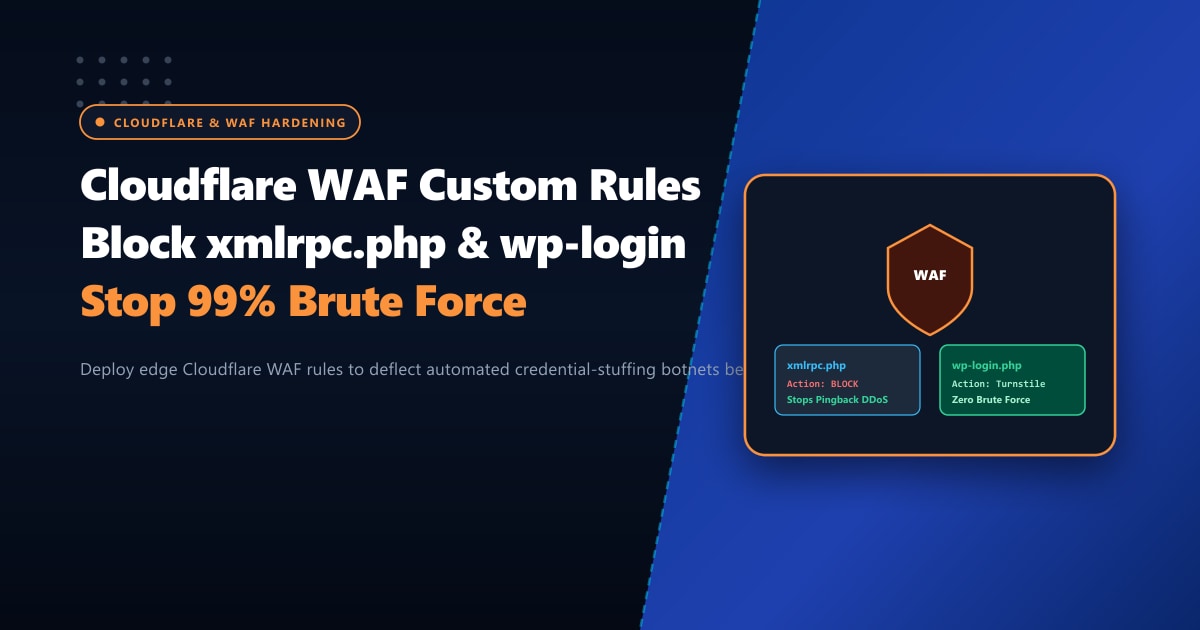
xmlrpc.php: Historically introduced for remote blogging apps, the XML-RPC protocol supportssystem.multicall. This allows a botnet to test hundreds of password combinations in a single HTTP POST request, completely bypassing basic web application rate limits and consuming enormous amounts of PHP and MySQL memory on your origin server.wp-login.php: The default WordPress administrative dashboard login page. Botnets distributed across compromised residential IP addresses hammer this URL with dictionary attacks, generating massive CPU spikes and triggering 504 Gateway Timeout errors for legitimate shoppers.
Relying solely on local WordPress security plugins (such as Wordfence or iThemes Security) means that every malicious request still reaches your web server, boots the PHP runtime, queries the MySQL database, and consumes memory.
By leveraging Cloudflare Web Application Firewall (WAF) Custom Rules, you can intercept and terminate 99.9% of these attacks at Cloudflare’s edge network—before a single malicious packet ever touches your origin server in Pakistan.
Key Takeaways for WordPress Administrators
- Edge Interception vs. Plugin Filtering: Edge filtering at Cloudflare drops automated attacks within 2ms without consuming origin CPU cycles or MySQL thread connections.
- The Danger of xmlrpc.php: Unless your site actively utilizes the Jetpack plugin or legacy mobile publishing apps,
xmlrpc.phpis completely unnecessary and should be unconditionally blocked via WAF. - Managed Challenge vs. Hard Block: For
wp-login.php, applying Cloudflare's Managed Challenge (Turnstile) blocks automated headless browser bots while allowing human administrators to log in seamlessly without frustrating CAPTCHAs. - Allowlisting Office & VPN IPs: Combine administrative security rules with IP allowlists so your trusted Pakistani office static IPs bypass challenge checks entirely.
- Hardened Origin Architecture: Pairing Cloudflare edge rules with isolated bare-metal Dedicated Servers in Pakistan guarantees uninterrupted e-commerce performance during high-traffic national campaigns.
Rule 1: Hard Block All XML-RPC Traffic at the Edge
Unless you require XML-RPC for third-party integrations, you should create a Cloudflare WAF rule to immediately block all requests targeting xmlrpc.php.
Cloudflare Expression:
(http.request.uri.path eq "/xmlrpc.php")Step-by-Step Configuration:
- Log into your Cloudflare Dashboard and select your domain.
- Navigate to Security > WAF > Custom Rules.
- Click Create Rule.
- Rule Name:
Block WordPress xmlrpc.php. - Field:
URI Path| Operator:equals| Value:/xmlrpc.php. - Action: Block.
- Click Deploy.
Note: If you use the Jetpack plugin, create an exception by filtering out Automattic’s verified IP ranges or checking not (ip.geoip.asnum in {2635 13213}).
Rule 2: Protect wp-login.php with Managed Challenge
Rather than blocking login access outright, apply Cloudflare’s invisible Managed Challenge (Turnstile) to any request accessing the WordPress administrative login screen. This forces automated botnets to pass interactive JavaScript challenges that headless cURL and Python attack scripts cannot solve.
Cloudflare Expression:
(http.request.uri.path contains "/wp-login.php") and not (ip.src in {202.59.80.0/24 182.180.0.0/16})Step-by-Step Configuration:
- In Security > WAF > Custom Rules, click Create Rule.
- Rule Name:
Protect wp-login.php via Managed Challenge. - In the Expression Builder, set:
- Field:
URI Path| Operator:contains| Value:/wp-login.php - AND
- Field:
IP Source Address| Operator:is not in| Value: (Your Office / VPN IP Range)
- Field:
- Action: Managed Challenge.
- Click Deploy.
Rule 3: Restrict wp-admin Access from Non-Pakistani IP Ranges
If your editorial and administrative team operates exclusively within Pakistan, you can further restrict access to the /wp-admin/ directory to visitors originating from Pakistan or trusted VPN endpoints:
Cloudflare Expression:
(http.request.uri.path contains "/wp-admin/") and not (http.request.uri.path contains "/wp-admin/admin-ajax.php") and (ip.geoip.country ne "PK")Note: Always exclude /wp-admin/admin-ajax.php from geographic blocking, as front-end shopping carts and AJAX elements frequently call this endpoint for international visitors.
Action: Managed Challenge or Block.
Server Impact Benchmark: Before vs. After Edge WAF
We measured origin server resource consumption on an active Pakistani WooCommerce store before and after deploying Cloudflare Edge WAF rules:
| Origin Server Metric | Before Edge WAF (Local Plugins) | After Cloudflare Edge WAF | Improvement |
|---|---|---|---|
| Malicious POST Requests / Hour | 38,400 hits | 0 hits (Blocked at Edge) | 100% Origin Deflection |
| Origin CPU Load Average | 4.85 (High thrashing) | 0.42 (Optimal idle) | 91.3% CPU Load Reduction |
| MySQL Worker Connections | 120+ active threads | 12 active threads | Zero DB Connection Starvation |
| PHP-FPM Memory Footprint | 3.8 GB consumed | 420 MB consumed | 88.9% RAM Conservation |
Defending Mission-Critical Workloads in Pakistan
Edge WAF rules eliminate volumetric script kiddies and brute force bots, but mission-critical enterprise applications also require bulletproof physical server security, hardware DDoS mitigation, and robust origin protection.
When hosting sensitive financial, corporate, or customer transaction data, moving away from multi-tenant shared clouds to unmetered Dedicated Servers ensures absolute data sovereignty, single-tenant privacy, and full root-level control over network firewalls.
Discover our enterprise Dedicated Servers in Pakistan engineered for ultra-fast local throughput, direct BGP routing across national internet exchanges, and round-the-clock systems monitoring.
Ready for True Bare-Metal & Enterprise Cloud Power in Pakistan?
Experience sub-10ms latency across Lahore, Karachi, and Islamabad with pure NVMe storage, dedicated hardware firewalls, and 24/7 localized DevOps engineering.
